Construction site management

Construction.
Inspections, snagging and handover.

Digitise site inspections, snagging and handover packs. Simplify project QA with digital snag lists, annotated photos, and branded handover packs.

Free 7-day trial · no credit card required

7-day free trialWorks offlineiOS & Android apps
Site managers in hard hats and high-visibility vests reviewing progress in front of a building under construction
Construction recordLive
24Snags
18Resolved
3Sign-offs
Level 2 · Snag listUpdated

Snag logged with annotated photo, pinned to the floorplan and assigned to the subcontractor.

How does Integrio help construction teams?

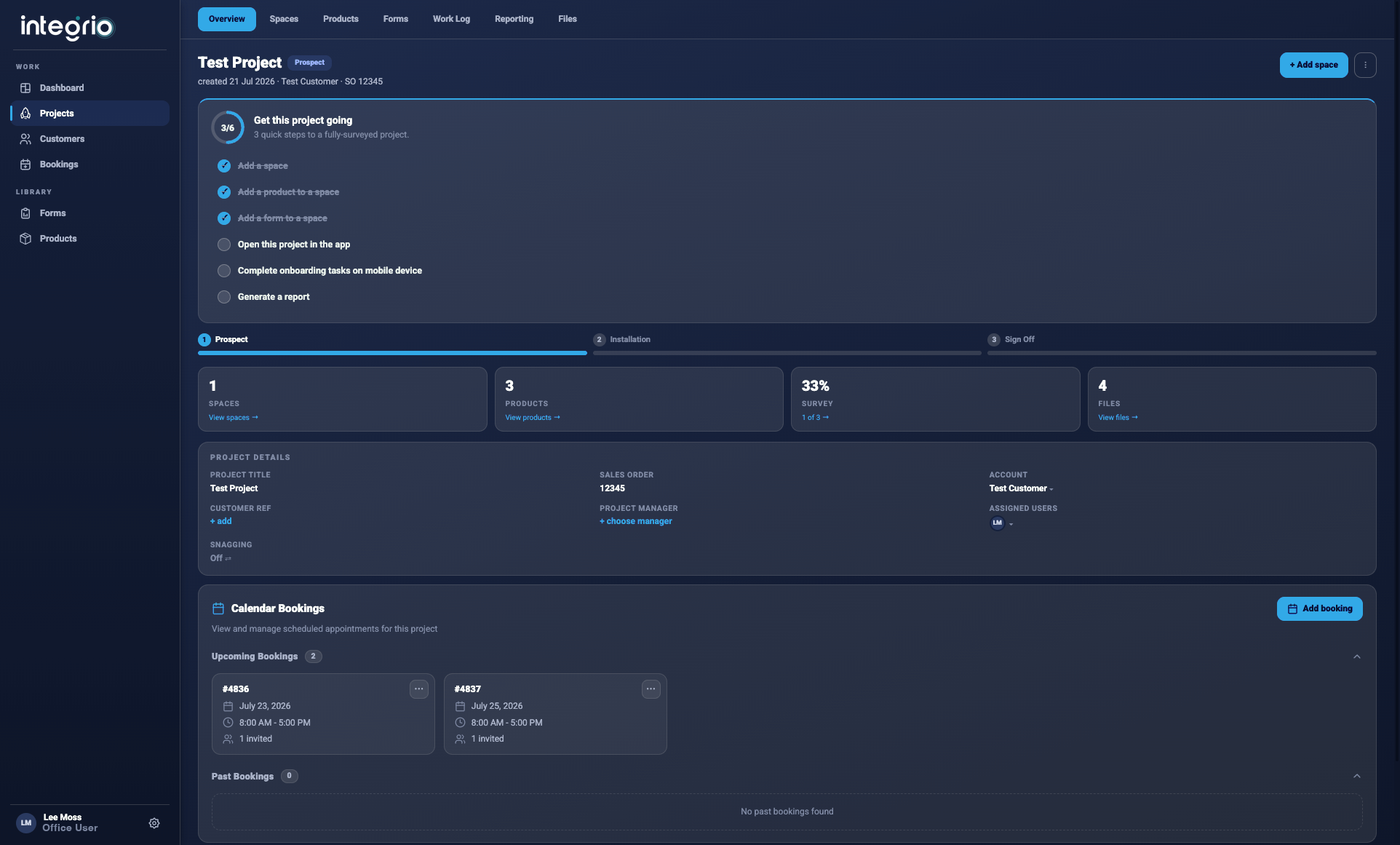
Integrio digitises site inspections, snagging and handover packs. Site teams capture snags, defects and site conditions with digital forms, annotated photos and AR floorplan annotations, online or offline. Project managers track resolution in real time, then generate branded handover packs and progress reports instantly.

Last updated 30 September 2026.

01Digital site inspections
02Snagging & handover packs
03Project QA management
04Branded documentation

The challenge

Construction projects move fast. Your data needs to keep up.

For many contractors and site teams, managing quality and compliance still depends on paper forms, spreadsheets, and emails. The result? Delays, duplicated effort, and inconsistent records.

01

Snagging delays and rework

Paper-based snag lists get lost, duplicated, or delayed. Critical defects aren't tracked properly, leading to costly rework and project delays.

02

Site documentation chaos

Photos, inspection notes, and progress updates scattered across WhatsApp, emails, and paper forms. No centralised record of site conditions.

03

Handover bottlenecks

Manual compilation of handover packs takes days or weeks. Missing documentation delays client sign-off and final payments.

04

Limited site visibility

Project managers can't see real-time progress across multiple sites. Clients lack transparency into quality checks and completion status.

05

Time tracking inaccuracies

Manual timesheets lead to payroll errors and inaccurate project costing. No visibility into labour allocation across sites and tasks.

06

Compliance and safety gaps

Safety inspections and compliance checks aren't consistently documented. Audit trails are incomplete, risking regulatory issues.

One continuous record

Document. Track. Report. Handover.

Integrio replaces fragmented reporting with one connected platform — giving every stakeholder real-time insight into site performance.

01

Document

Capture snags, defects, and site conditions with digital forms, annotated photos, and AR floorplan annotations. Work online or offline — data syncs automatically when reconnected.

02

Track

Monitor snag resolution progress in real time. Assign tasks to subcontractors, set deadlines, and track completion status across all site activities.

03

Report

Generate professional handover packs and progress reports instantly. Include branded documentation, photos, and sign-off forms — ready for client review.

04

Handover

Deliver complete handover documentation to clients and stakeholders. Share branded PDFs via secure links or email, ensuring smooth project completion and sign-off.

One connected platform

Every stakeholder, one view of the site.

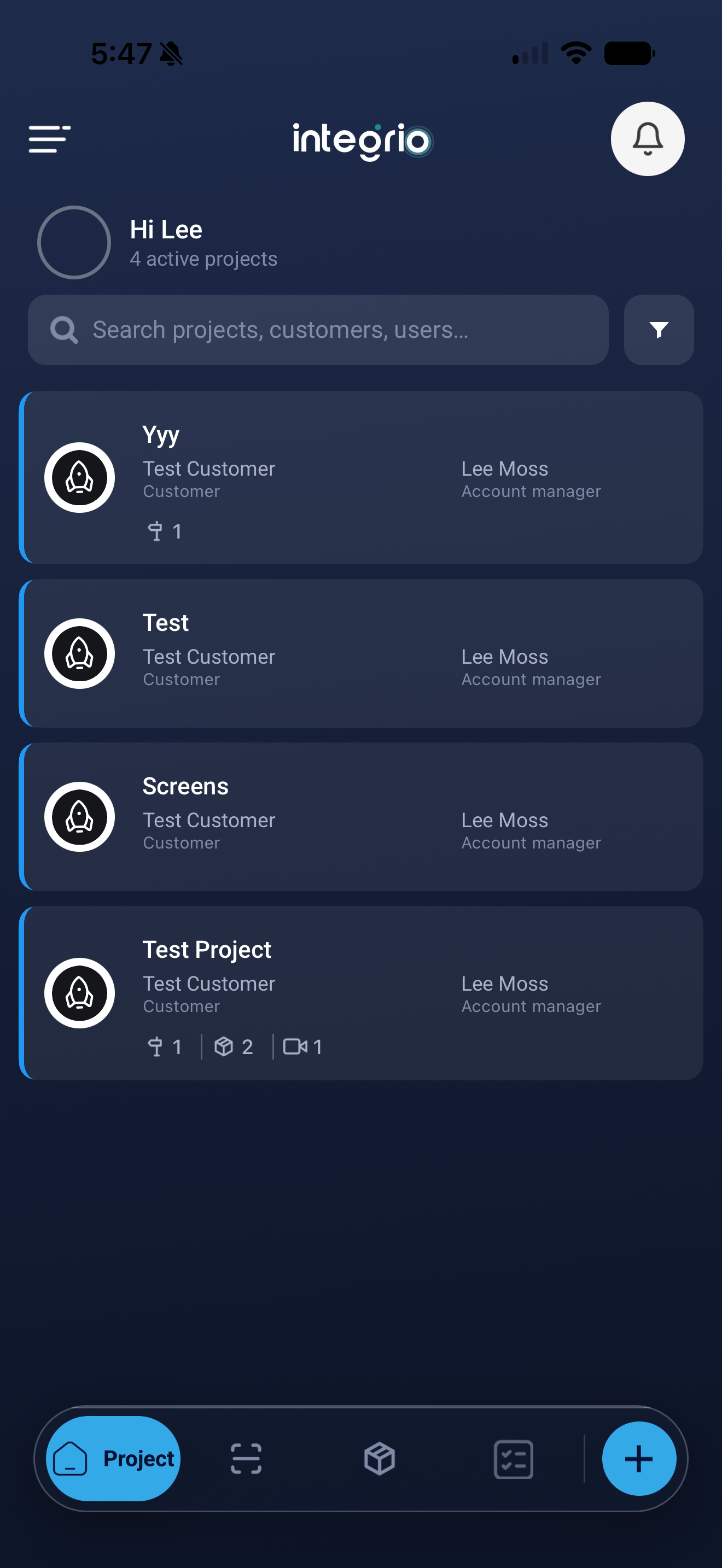
Site teams capture on mobile, online or offline, while project managers and clients see progress, quality checks and completion status as it happens.

Snags tracked from identification to resolution

Work online or offline — data syncs automatically

Branded handover packs shared via secure links or email

Construction workspace in Integrio
Construction mobile field workflow

Construction toolkit

Key tools for construction professionals.

Snagging

Digital Snagging

Create comprehensive snag lists with photos, annotations, and location tagging. Track issues from identification to resolution with automated workflows.

AR

AR Floorplans & Annotations

Create or upload your site layout and attach notes, photos, and measurements directly onto an AR floorplan. Perfect for identifying snag points and visualising progress.

Forms

Smart Forms

Custom digital forms for inspections, safety checks, and site audits. Use conditional logic to show only the questions that matter — no more irrelevant sections.

Time

Time Tracking

Accurate time tracking for labour allocation and project costing. GPS-based tracking and manual entries ensure every hour is accounted for.

Sign-off

Project Sign-Off

Generate professional handover packs automatically. Include branded documentation, photos, and sign-off forms for seamless client acceptance.

Workflows

Workflow Automation

Trigger actions when issues are logged — assign tasks, set reminders, or escalate high-priority snags automatically.

Teams

Team & Resource Management

Track who's completed which inspections, monitor progress across multiple projects, and allocate workloads efficiently.

Capture

Data Capture

Capture site data efficiently with mobile-first tools. Photos, measurements, notes, and signatures all in one place.

Offline

Offline Capability

Work in remote locations without signal. All data syncs securely once reconnected.

Every update has a place

Pin every snag to the plan.

Create or upload your site layout and attach notes, photos, and measurements directly onto an AR floorplan — so every snag point has a location and progress is easy to visualise.

Explore AR & floor plans ↗

Construction FAQ

Frequently asked questions.

01Can Integrio work offline on site?+

Yes. You can capture data anywhere, even without internet access. Once you reconnect, Integrio automatically syncs all data to your secure workspace.

02Can we use our existing checklists and forms?+

Absolutely. Upload or recreate your current forms in Integrio's drag-and-drop builder — you can customise logic, mandatory fields, and question types.

03Can clients view reports without logging in?+

Yes. You can share secure, branded report links with anyone — no app or login required.

04Is it suitable for subcontractors or multiple teams?+

Yes. Integrio supports multiple users, roles, and permissions across different sites, projects, or departments.

See it in your environment

Start your free 7-day trial.